
WhatsApp Account Security Gets 3 Major Upgrades to Protect Users
WhatsApp is strengthening its security system with three new features designed to make it harder for scammers and attackers to take over user accounts.
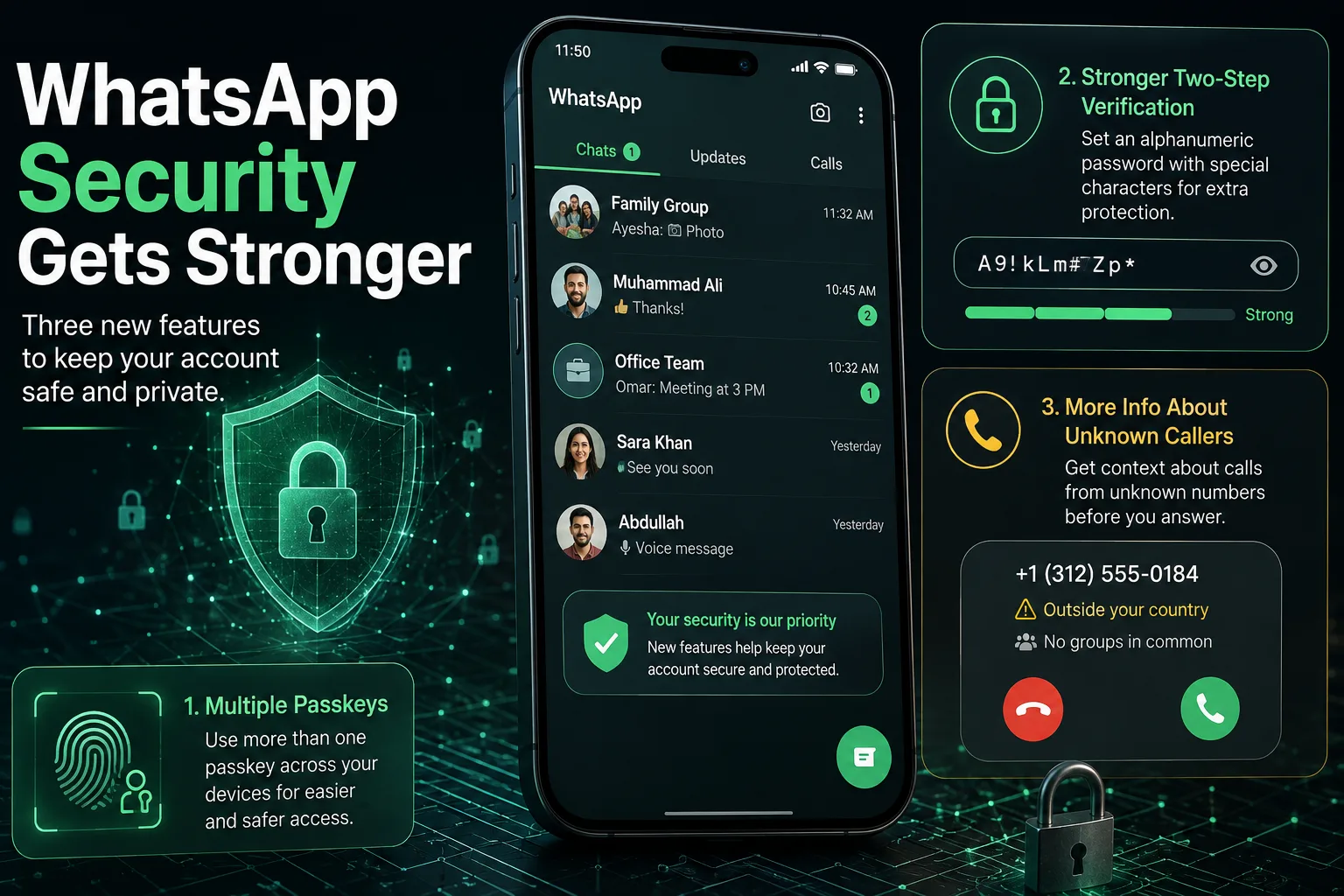
The new WhatsApp account security measures include support for multiple passkeys, stronger two-step verification using alphanumeric passwords and additional information about calls from unknown contacts on Android. Meta announced the changes as part of its continued effort to protect users from account takeovers and scams.
The changes are particularly relevant as WhatsApp accounts are increasingly used for personal communication, business conversations, payments and sharing sensitive information.
WhatsApp Adds Support for Multiple Passkeys
One of the biggest changes is expanded passkey support.
WhatsApp previously allowed users to secure account re-login with a passkey, using methods such as Face ID, Touch ID or a device screen lock. The new update allows users to have more than one passkey associated with the same WhatsApp account.
This is particularly useful for people who use WhatsApp on multiple devices or switch between iPhone and Android.
Instead of depending entirely on traditional verification codes, passkeys allow compatible devices to authenticate the user through their existing device security.
Why Multiple Passkeys Matter
The ability to use multiple passkeys provides greater flexibility.
For example, someone who uses an iPhone as their primary device but also has an Android phone could potentially maintain authentication options across both devices.
Passkeys are also designed to provide stronger protection against phishing because authentication is tied to the user's device rather than relying solely on a password or SMS code.
WhatsApp says more than 1 billion people are now using passkeys to log back into their accounts.
Two-Step Verification Is Getting Stronger
WhatsApp is also upgrading its two-step verification system.
Previously, users could protect their accounts with a six-digit PIN. WhatsApp is now expanding the system to support full alphanumeric passwords, including special characters.
That gives users the option to create a substantially more complex authentication credential.
A stronger password can make unauthorized access more difficult, particularly if users choose a unique password that is not reused on other services.
Why You Should Enable Two-Step Verification
Two-step verification provides an additional security layer on top of WhatsApp's normal account verification.
If someone manages to obtain a user's one-time verification code, the additional verification credential can still make account takeover more difficult.
For users who rely heavily on WhatsApp, enabling two-step verification is one of the simplest security measures available.
WhatsApp Adds More Information About Unknown Callers
The third security improvement is aimed specifically at suspicious or unfamiliar calls.
For now, this feature is available on Android.
When someone receives a WhatsApp call from a number that is not saved in their contacts, WhatsApp will provide additional context, including information about whether the number is from another country and whether the caller shares any groups with the recipient.
This additional information could help users make a more informed decision before answering.
How This Could Help Stop Scams
Scammers often use unexpected calls to create urgency or convince people to reveal personal information.
Additional context can give users a moment to evaluate the caller before answering.
For example, if an unfamiliar international number suddenly calls and the user has no shared groups with that account, the information may provide another reason to treat the call cautiously.
WhatsApp's goal is not to automatically identify every scam call but to give users more context before they interact with an unknown caller.
Three New WhatsApp Security Features at a Glance
| Feature | What It Does | Availability |
|---|---|---|
| Multiple Passkeys | Allows more than one passkey for an account | iOS & Android |
| Stronger Two-Step Verification | Supports alphanumeric passwords and special characters | WhatsApp security feature |
| Unknown Caller Context | Shows additional information about unfamiliar callers | Android |
The features were announced by Meta as part of its latest WhatsApp security improvements.
What Is a Passkey on WhatsApp?
A passkey is an authentication method that lets users access an account using the security mechanism already available on their device.
Depending on the device, that can include:
- Face ID
- Fingerprint authentication
- Touch ID
- Screen lock
- Device PIN
The advantage is that users don't necessarily have to depend on traditional passwords or SMS-based authentication every time they need to verify their identity.
WhatsApp first introduced passkey support on Android in 2023 and later expanded it to iPhone.
WhatsApp Is Increasing Its Focus on Account Takeovers
Account takeover is a major security concern for messaging platforms.
If an attacker gains control of a WhatsApp account, they may attempt to impersonate the account owner and contact friends, family members or business contacts.
The attacker could then use the compromised account to request money, distribute malicious links or obtain additional personal information.
The latest WhatsApp security changes address different parts of this problem:
Passkeys strengthen account authentication.
Stronger two-step verification adds another barrier against unauthorized access.
Unknown caller information gives users more context before responding to potentially suspicious calls.
Together, these features create several additional layers of protection.
What WhatsApp Users Should Do
Users should take advantage of the new security options where they are available.
1. Set Up a Passkey
If passkey support is available on your device, consider enabling it through WhatsApp's account settings.
2. Strengthen Two-Step Verification
Instead of relying on a simple six-digit PIN, users can use the stronger password-based option when it is available to their account.
Choose a unique password and avoid using the same password on other services.
3. Be Careful With Unknown Calls
Additional caller information can help, but users should still avoid automatically trusting unfamiliar contacts.
Never share:
- OTP codes
- Banking information
- Passwords
- Credit/debit card details
- Personal identification information
with an unknown caller.
4. Keep WhatsApp Updated
Security features are often delivered through newer versions of the application. Keeping WhatsApp updated can help ensure that available security improvements are installed.
Will These Features Stop WhatsApp Scams Completely?
No.
The new tools can make accounts harder to compromise, but they cannot eliminate every type of scam.
Social engineering remains a major threat because attackers may manipulate users into voluntarily sharing verification codes, passwords or financial information.
The safest approach is therefore to combine WhatsApp's built-in security features with good security habits.
Users should be particularly suspicious when an unknown person creates urgency, asks for money or requests a verification code.
Why the Update Matters for Pakistani Users
WhatsApp is widely used in Pakistan for family communication, business discussions, customer support and online transactions.
That makes account security particularly important.
A compromised WhatsApp account can potentially be used to impersonate someone and contact their family members or business customers.
The combination of stronger authentication and additional information about unknown callers could therefore provide useful protection for Pakistani users as well.
WhatsApp Account Security Is Moving Beyond SMS Codes
The latest announcement shows WhatsApp's broader move toward stronger authentication technologies.
Passkeys reduce dependence on traditional verification methods, while stronger two-step verification gives users more powerful credentials.
At the same time, additional information about unknown callers focuses on preventing users from interacting with potentially suspicious contacts in the first place.
These changes don't replace basic security awareness, but they give WhatsApp users more tools to protect their accounts.
Source
9to5Mac — WhatsApp announces three ways to make accounts more secure
Official Meta: Meta — New Account Security Features for WhatsApp
Leave a Comment
Your comment will appear after review.